

From Manual to Automatic
Stop counting bins. Operators update materials consumed as part of their normal workflow — no extra steps, no special training.

Shortages Caught Early
AI compares real-time stock levels with scheduled production demand and flags material shortages before they become production delays.

Accurate Job Costing
Track actual material usage against planned quantities. Know what every job really costs — not what you estimated it would cost.
How Materials Tracking Works
A connected system that replaces spreadsheets and weekly counts with real-time material intelligence.

Pick Lists & BOMs from ERP
Pick lists and BOMs flow into operators' digital job packets direct from your ERP. When a work order is pushed to production, the Bill of Materials is included automatically.

Continuous Inventory Tracking
Replaces manual stocktakes as operators update materials consumed while working. Continuous reconciliation turns your weekly stocktake into a quick verification, not a full-day count.

Supervisor Approvals
Supervisors approve inventory adjustments triggered by conflicting counts. When physical stock doesn't match the system, operators quickly log actual quantities used versus planned.

AI Material Alerts
AI flags low inventory requiring reordering before it causes production delays or missed orders. Predictive alerts identify material shortages and jobs at risk from insufficient stock.

Central Dashboard
See affected jobs and line items in a central dashboard. Real-time visibility on what's in stock, what's committed, and what needs replenishment — all in one view.

Min-Max Alerts
Min-max alerts prevent both stockouts and over-ordering. Set your thresholds and the system does the monitoring — no more counting bins or guessing what's left.
Operator View
Inventory Assigned to Job
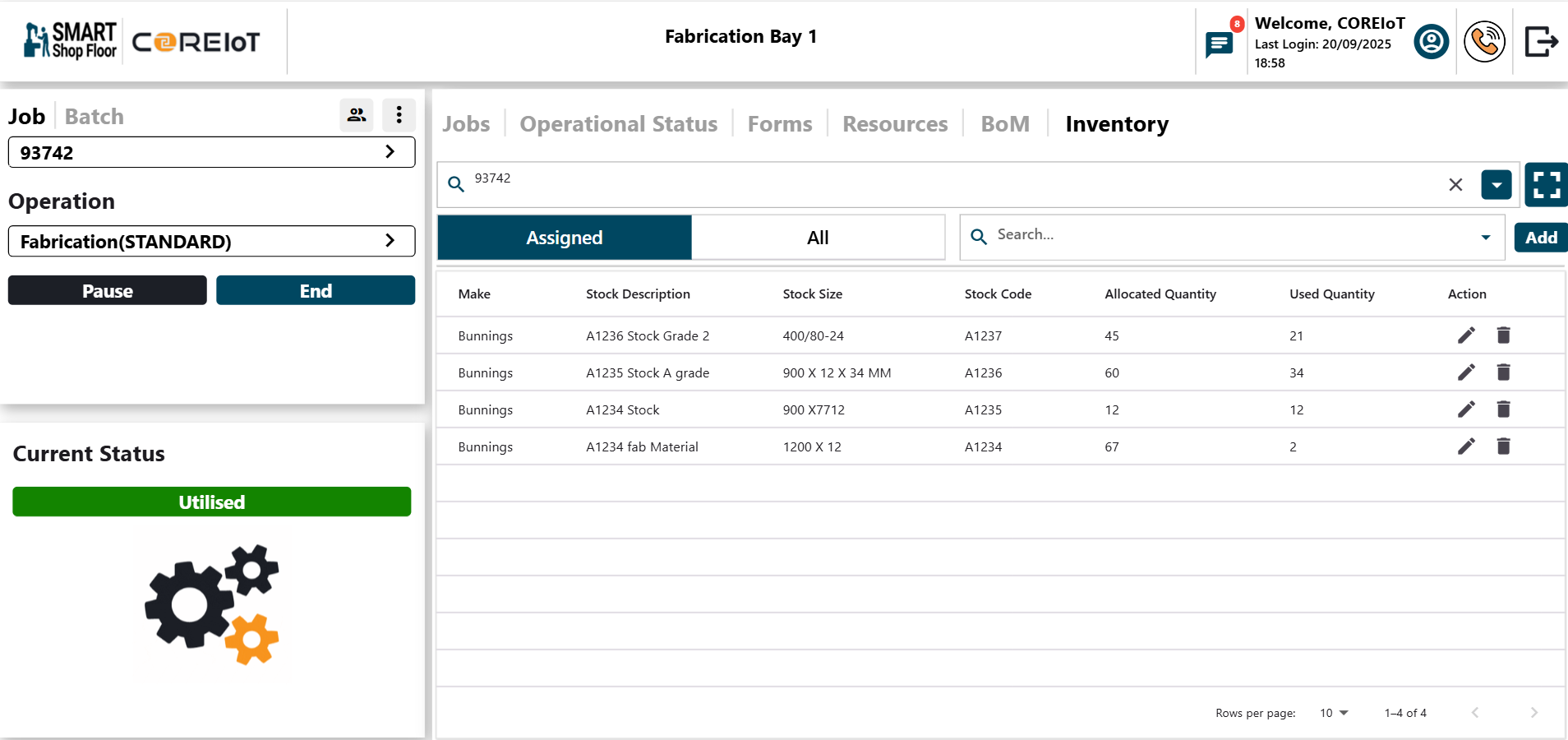
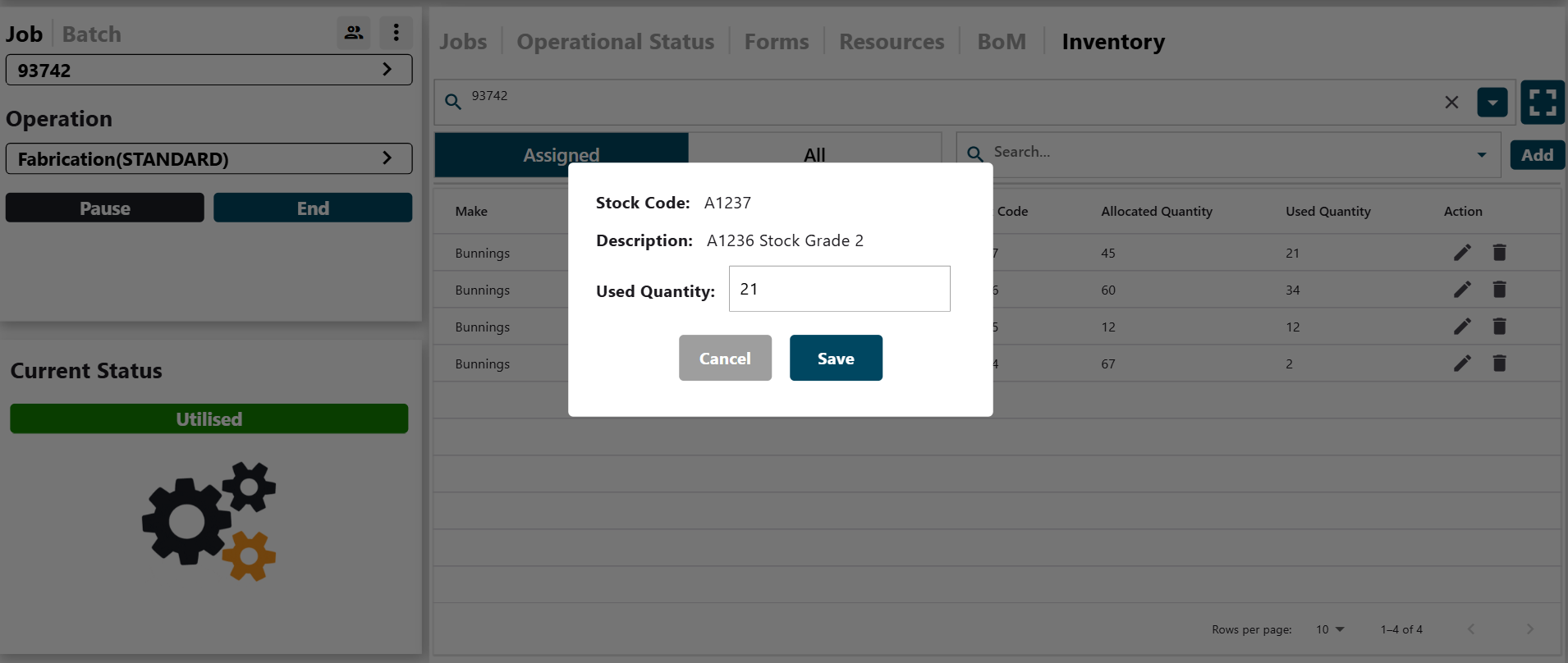
Operators see exactly which materials are assigned to their current job. They can update quantities used with a single tap, keeping stock levels accurate in real time.
Material Tracking
Update Quantities as You Go
When operators use materials, they update quantities consumed right from their tablet. Actual usage is compared against planned quantities so discrepancies are caught immediately.
Full Visibility
All Inventory at a Glance
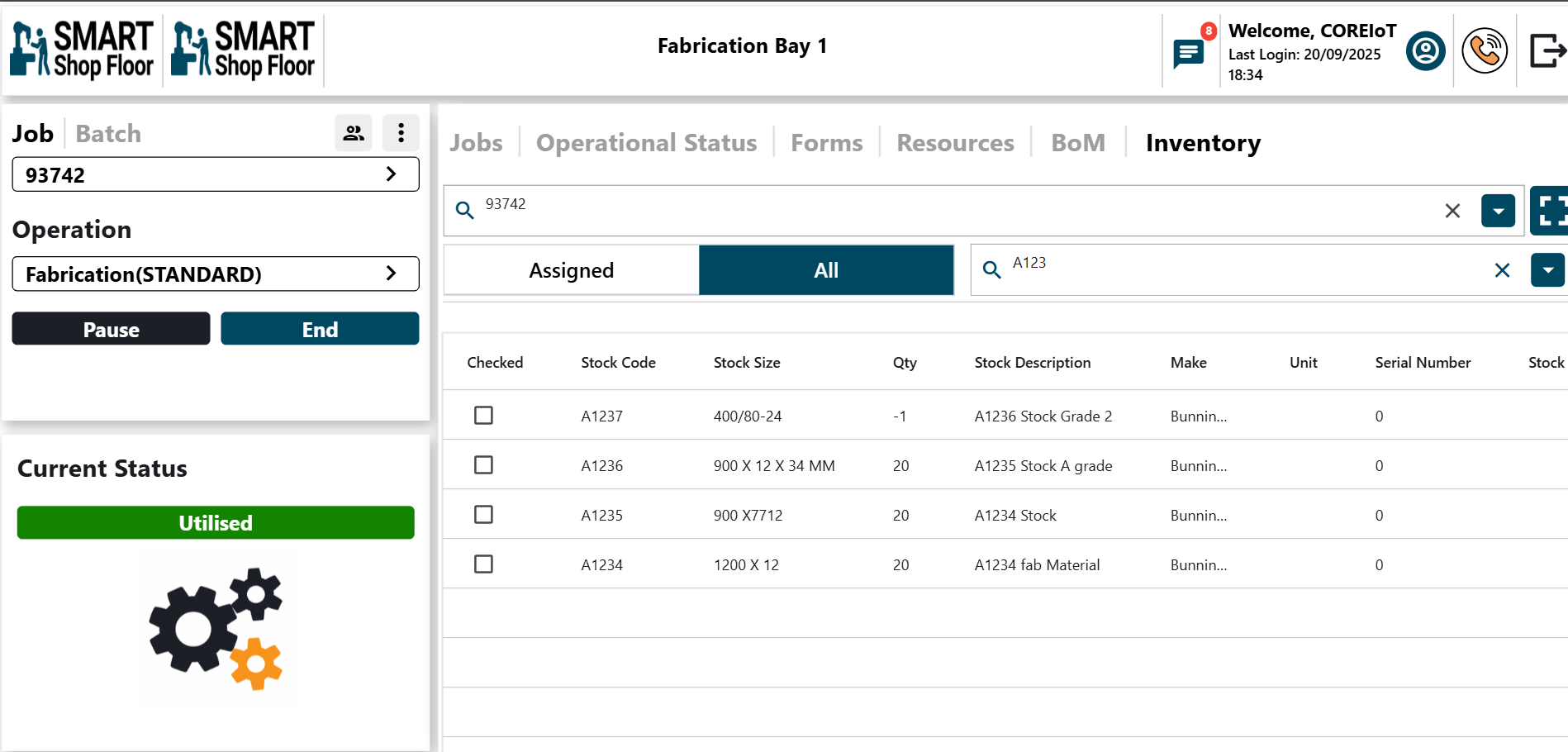
Browse your complete inventory from the tablet. Search, filter and check stock levels without leaving the shop floor — everything your operators need in one place.
The Workflow
Order Arrives
Work order is created in your ERP. Smart Shop Floor pulls the BOM and pick list into the operator's digital job packet automatically.
Materials Consumed
As operators work, they log materials used with a single tap. Actual consumption is compared against planned quantities in real time.
Stock Levels Update
Inventory records update continuously. No more end-of-week counts — your stock data is always current.
AI Monitors & Alerts
AI scans inventory against upcoming production demand. When stock drops below your min-max thresholds, alerts trigger before production is impacted.
Replenishment Scheduled
Affected jobs and line items appear in a central dashboard. Your purchasing team has clear visibility on what needs reordering and when.