
No typing the same details twice
Take items straight from the customer’s email, PDF or spreadsheet into the quote.
AI Quoting for product manufacturers and distributors
Prepare quotes from emailed requests, using the right prices for each customer. Give your team more time to find new customers, follow up quotes and look after existing accounts.
Quoting from drawings? That’s AI Estimator.

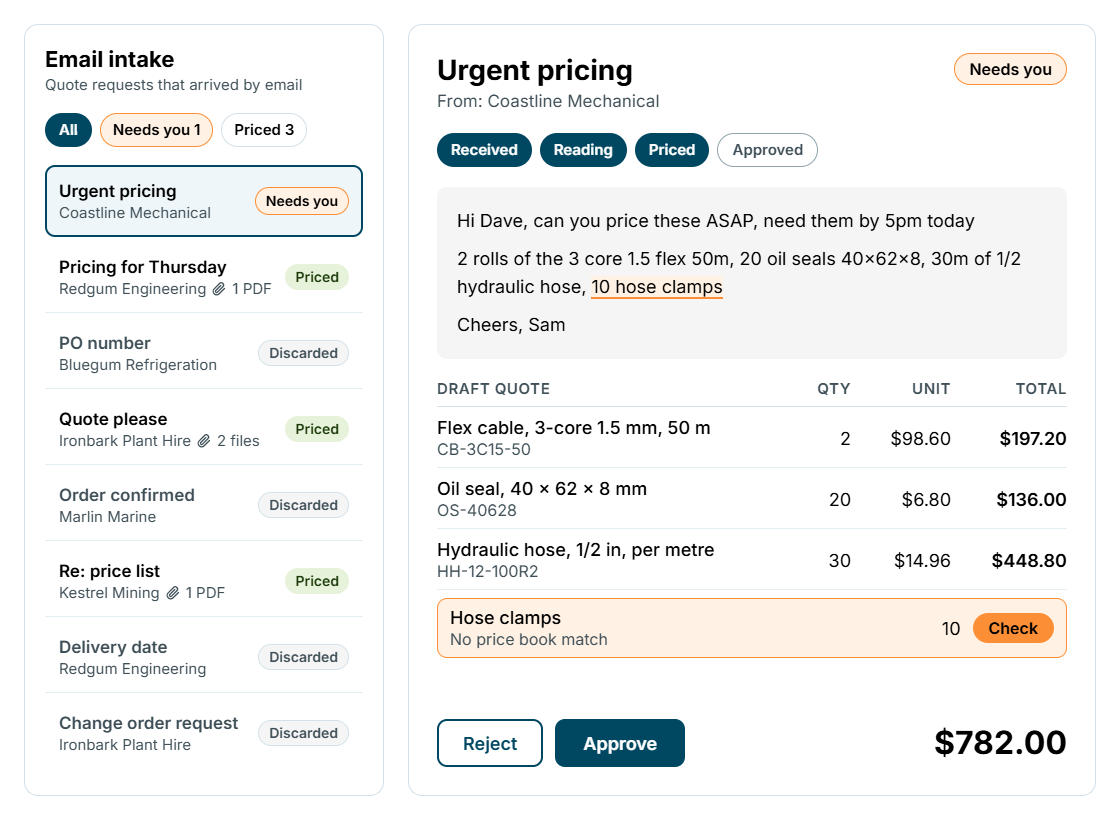
Send straightforward quotes automatically, or hold them for your team to check. Items that can’t be matched are flagged before the quote is sent.
Take items straight from the customer’s email, PDF or spreadsheet into the quote.
Spend less time putting quotes together and more time calling customers and finding new work.
Apply customer prices and discounts consistently, whoever prepares the quote.
Quote requests
AI Quoting reads the customer’s request, finds the listed items and applies that customer’s prices. Anything it can’t match is flagged for your team to check.
Prices and discounts
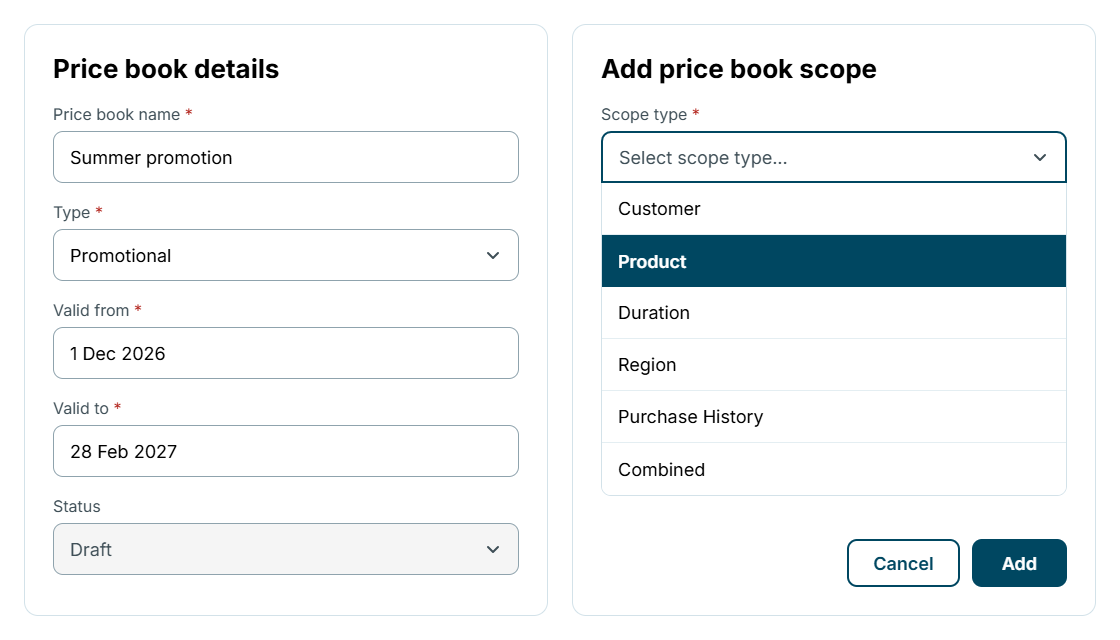
Use your standard prices, contract rates and special offers together. Apply the right price for the customer, what they’re buying and how much they order.
Product options
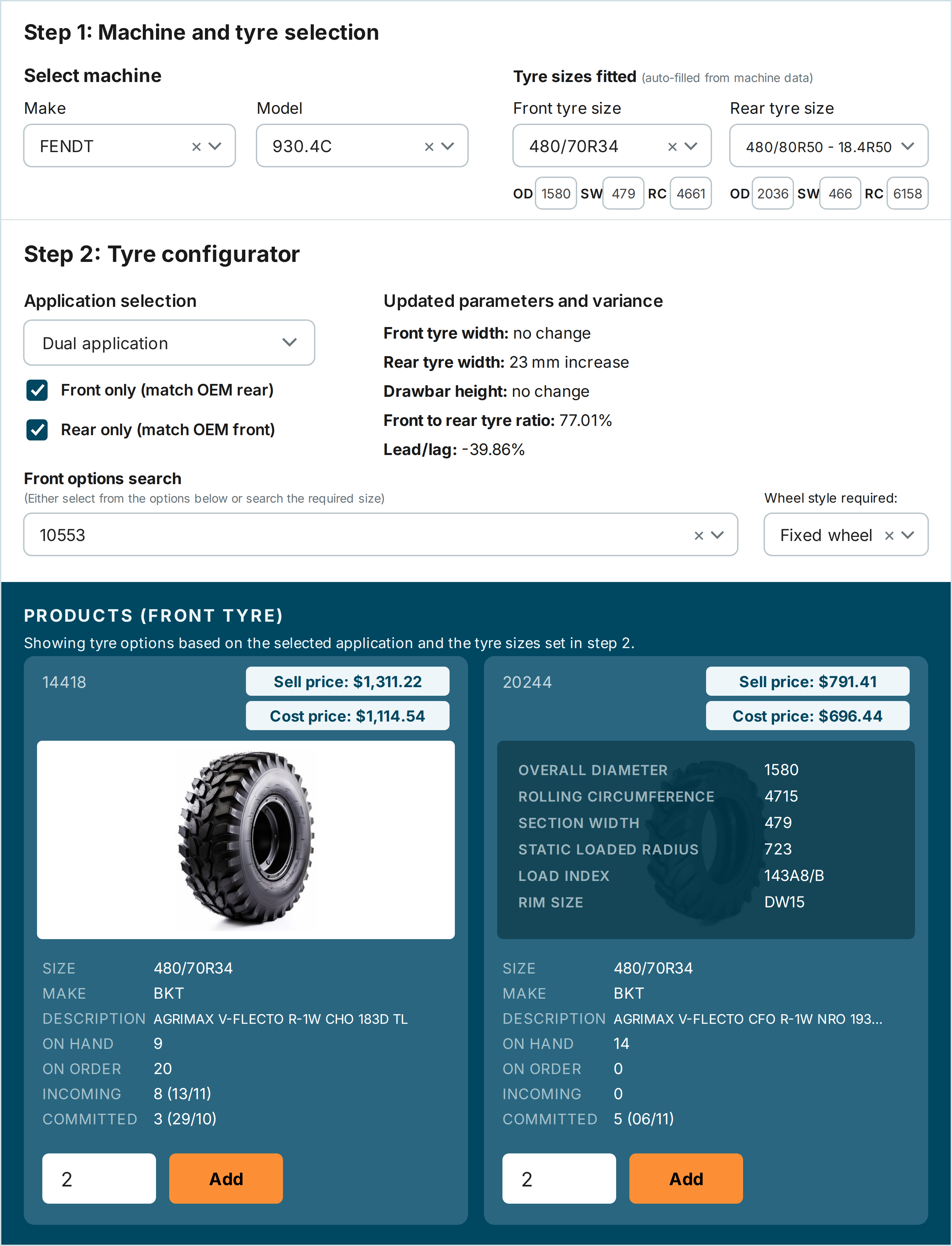
Show only parts and options that work together, with stock levels alongside. The parts list and price build as your team makes each selection.
Your existing systems
Take requests from Outlook and customer details from HubSpot. Send draft quotes to your accounting or ERP system, with updates as orders are won and move into production.
Inbox
Bring customer requests in from Outlook, ready to turn into quotes.

CRM
Bring customer records in from HubSpot, so nobody types them twice.

Draft quotes go to your existing system, with status updates as orders move into production.





Use drawing-based estimating for bespoke fabrication that needs a takeoff and a material and labour estimate. Use product quoting for catalogue or configurable-product enquiries with the agreed price-book and approval rules. Both lead to a quote your team can manage through acceptance and production handover.
Smart Shop Floor creates a draft quote in the connected ERP. Your team can send the quote and confirm it as won in either system, with quote status kept in sync through the agreed integration.
Once your team confirms the quote is won, Smart Shop Floor converts sales to production handover with the bill of materials, material and labour requirements. Scheduling and work allocation follow without manually recreating the job.

Book a time with the team to see how AI Quoting fits your process.
Book a time with the team