
Shop Floor App
Everything your operators need for the shift, on one screen
Assigned work, drawings, forms and a line to the supervisor, personalised to each operator. The day runs without paper or walking to the office.
Measured across 20 Australian workshops: about 45 minutes per operator per shift recovered from paperwork, waiting for instructions and walking to the office.
Shop Floor Tour
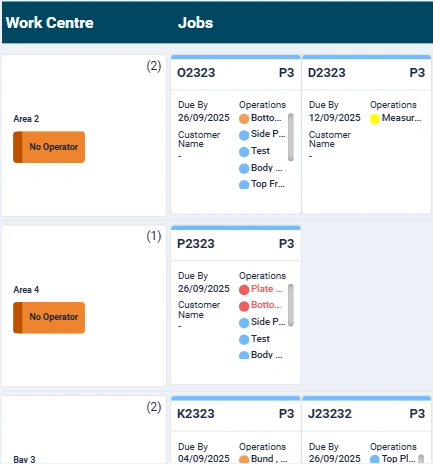
Daily job list
What each operator sees at the start of the shift
Each operator logs in to their own view: the jobs assigned to them today, in priority order, for their work centre. Every job carries the drawing, the work instructions and the material list, so nothing is looked up or asked for.
- Jobs in the order the schedule needs them, with due dates and VIP flags
- Drawings and instructions attached to the job, viewable at the bench
- Material list with one-tap consumption
- Updated instructions from the office land on the job, not in an inbox
Time tracking
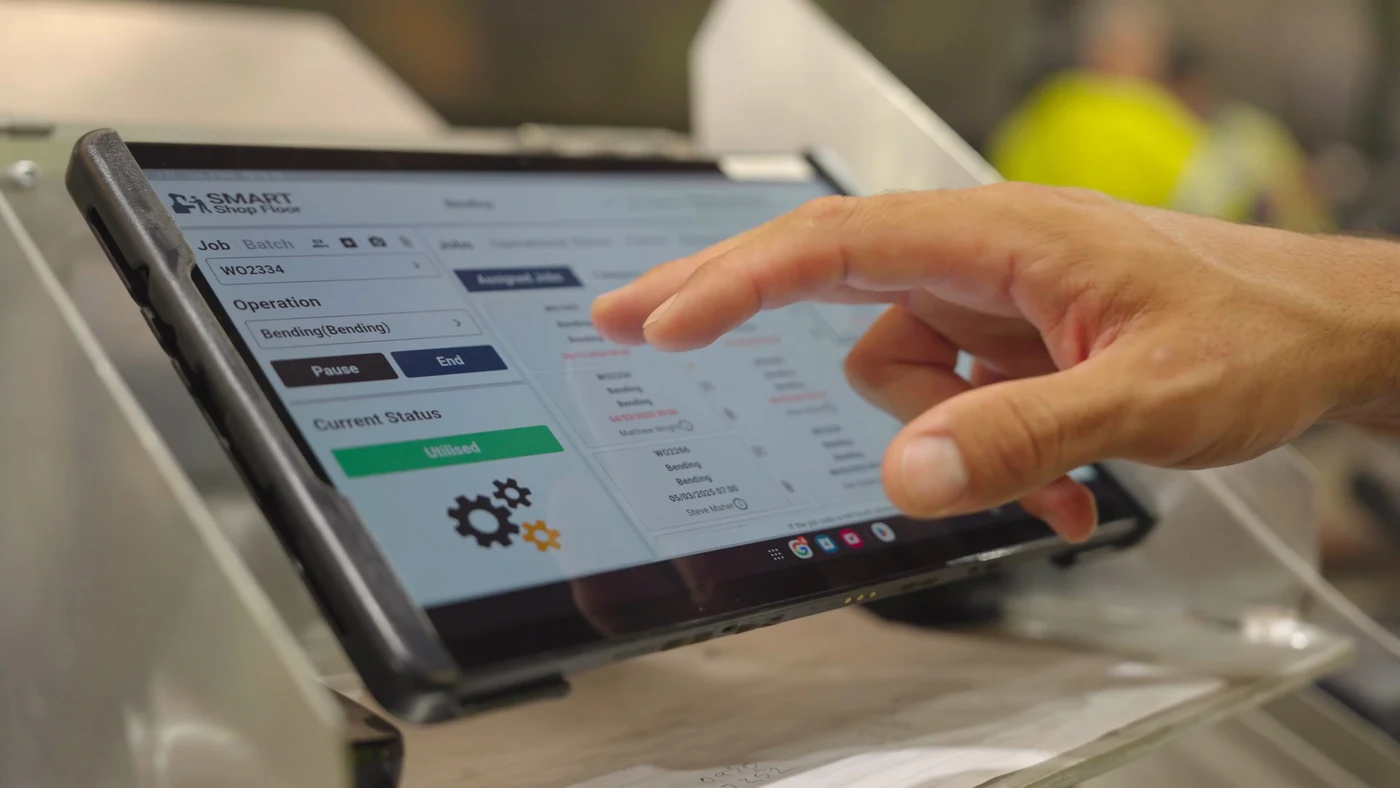
Start, stop, done, with one tap
An operator starts a job with a tap. Starting the next one closes the last. Labour is costed to the job automatically, actual times go back to the schedule and to your ERP, and nobody fills in a timesheet at the end of the day.
- One tap to start, pause or complete an operation
- Open operations close automatically at clock-off and are flagged for the supervisor
- Actual versus estimated time feeds the next quote and the next schedule
Inspections
Quality, safety and maintenance forms where the work is
Forms open on the job at the stage they belong to: pre-start safety at login, hold-point inspections before the next operation, dispatch checks at the end. They cannot be skipped, and they stay with the job. Photos, signatures and timestamps are captured on the tablet.
- Inspection, quality, safety, maintenance and dispatch forms, built with drag-and-drop templates
- Mandatory checkpoints the schedule will not move past
- Completed forms bundle into the job record and can be shared with the customer through the portal

Picking
Pickers get their own queue, on the same screen
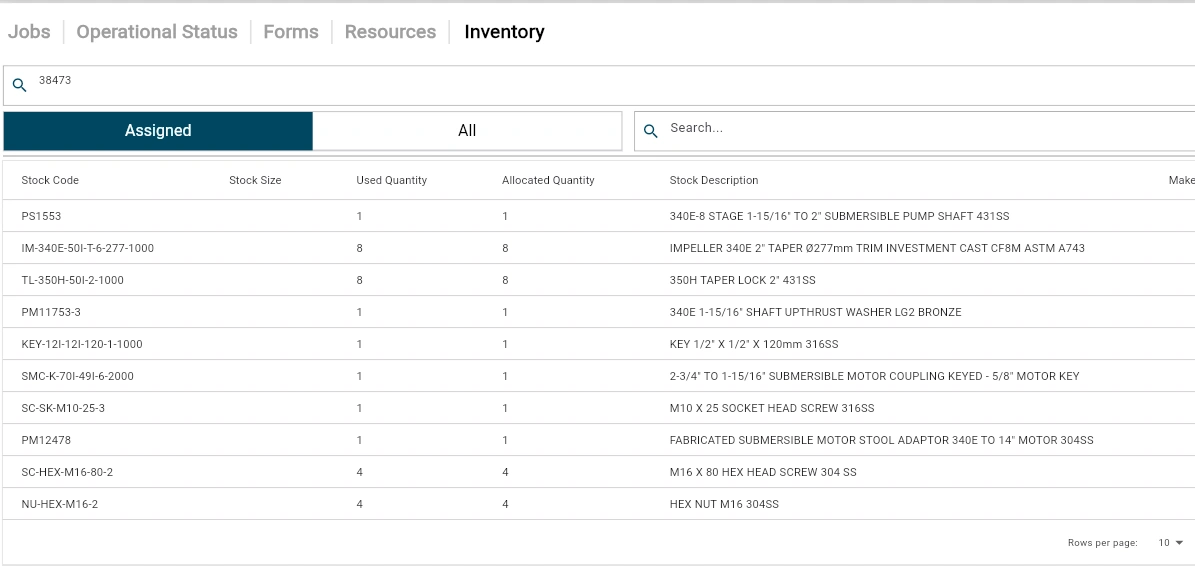
Store and picking staff log in to the same app and see a picking queue instead of a job queue: what to pick next, for which job, from which location, in the order the schedule needs it. A pick is ticked off on the tablet, stock is consumed against the job, and the operator waiting on it sees the material is ready.
- Picking queue driven by the production schedule, so material is staged before the job starts, not after
- Pick list from the job's bill of materials with bin or rack location
- One-tap pick and consume; partial picks and substitutions recorded against the job
- Shortage flagged to the supervisor and purchasing the moment it is found
- Picked quantities return to inventory and to your ERP
Chat and andon
Talk to the supervisor without leaving the bay
A message with a photo reaches the supervisor or the office from the job itself. If the operator needs help, one tap raises an andon and the supervisor sees which bay and which job.
- Job-linked chat with photos, grouped by job so nothing is lost
- Andon call for help, with automatic alerts when a machine or operator sits idle
- Comments and corrections captured against the job for the next time it runs

Office view
What the office gets back
Every tap on the floor updates the schedule, the job status and the customer portal. Supervisors see where each job sits and what is at risk; the office answers a customer call without walking the floor.
- Live job status and estimated finish for every job on the floor
- Actual versus estimate by job, operation and operator
- End-of-shift exception list: open operations, operations over estimate, missed forms
- Labour hours to payroll and job costs to the ERP

Rolls out one cell at a time
Day one is jobs, start/stop and drawings. Forms and chat switch on when the cell is ready, decided by the supervisor, not by us. Most workshops run the first cell within two weeks and add a cell every two weeks after that.
- Shared bay tablets with a badge or PIN login, so operators do not need their own device
- Floor rollout delivered cell by cell by a Perth-based team
- Works with the scheduler on its own, or with your ERP connected
Customer result
MetalWest, an 18-person structural fabricator in WA, put every operator on the app alongside AI Estimator and Scheduler. Founder Mick Douthie reports quote turnaround cut by more than half with AI Estimator and says quoting on the road is helping him win more work.
Read the MetalWest storyCommon questions
How do operators log time against jobs?
One tap on the job starts it; starting the next job or clocking off closes it. Labour is costed to the job automatically and actual times return to the schedule and your ERP.
Do operators need their own device?
No. Most workshops run shared tablets at each bay. Operators log in with a badge tap or PIN and see their own job list, drawings and forms.
Can it replace paper job cards and travellers?
Yes. The drawing, instructions, material list and forms are attached to the job on the tablet. Completed forms are bundled into the job record as a PDF.
What if an operator forgets to stop a job?
Open operations close at clock-off and appear on the supervisor's end-of-shift exception list, so the schedule is never held up by a missed tap.
Does it work without an ERP?
Yes. Shop Floor App runs with the Smart Shop Floor scheduler on its own. When you connect an ERP such as NetSuite, MYOB, SAP Business One or Xero, labour and job status flow back automatically.
How long does rollout take?
The first cell is usually live within two weeks: jobs, start/stop and drawings. Forms and chat are switched on cell by cell when the supervisor is ready.
Does it cover picking as well as production?
Yes. Store and picking staff log in to the same app and get a picking queue driven by the schedule: what to pick next, for which job, from which location. Picks are ticked off, stock is consumed against the job and shortages are flagged straight away.
See it running in your shop
Book a 30-minute demo and we will walk through an operator's shift on a tablet, using one of your jobs.
Book a demo