
Bill of materials management
Manufacturing inventory and material planning
Connect each job's bill of materials, pick list and consumed quantities with your ERP. See what production needs and record what operators actually use on the shop floor.


Record material use
Operators record consumed materials as part of their shop floor workflow.

Shortages caught early
AI compares real-time stock levels with scheduled production demand and flags material shortages before they become production delays.

Accurate job costing
Compare actual material usage and costs against the quantities allowed in your estimate.
How materials tracking works
A connected system that replaces spreadsheets and weekly counts with real-time material intelligence.

Pick lists & BOMs from ERP
Pick lists and BOMs flow into operators' digital job packets direct from your ERP. When a work order is pushed to production, the Bill of Materials is included automatically.

Continuous inventory tracking
Replaces manual stocktakes as operators update materials consumed while working. Continuous reconciliation turns your weekly stocktake into a quick verification, not a full-day count.

Supervisor approvals
Supervisors approve inventory adjustments triggered by conflicting counts. When physical stock doesn't match the system, operators quickly log actual quantities used versus planned.

AI material alerts
AI flags low inventory requiring reordering before it causes production delays or missed orders. Predictive alerts identify material shortages and jobs at risk from insufficient stock.

Central dashboard
View affected jobs, stock on hand, committed materials and replenishment needs in one dashboard.

Min-max alerts
Set stock thresholds and receive alerts when levels need attention. Use them to plan replenishment and reduce over-ordering.
Operator View
Pick lists that go straight to the shop floor
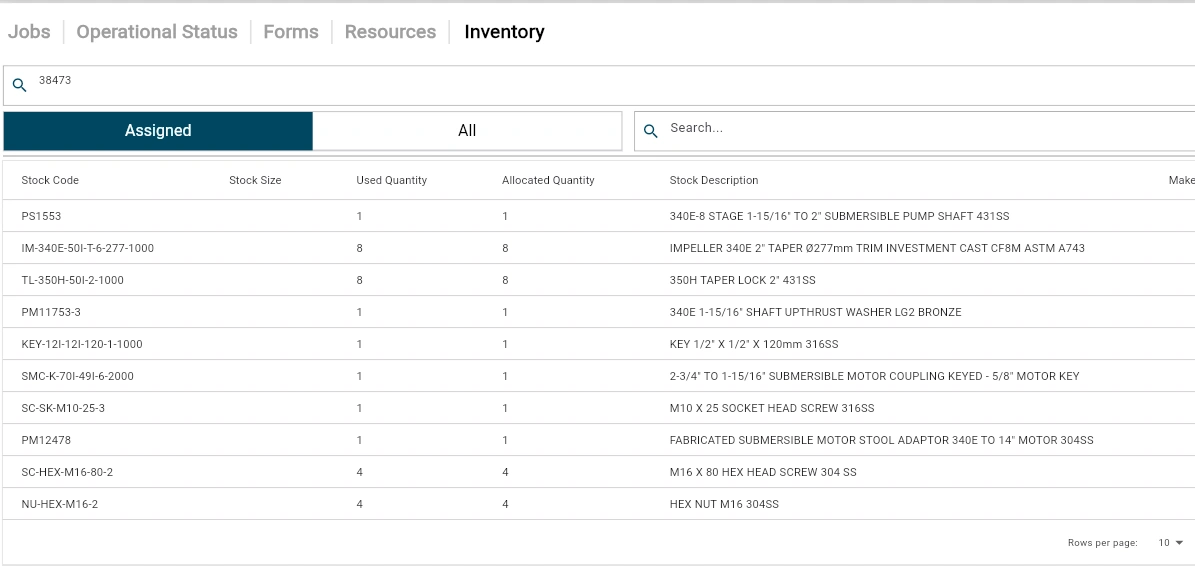
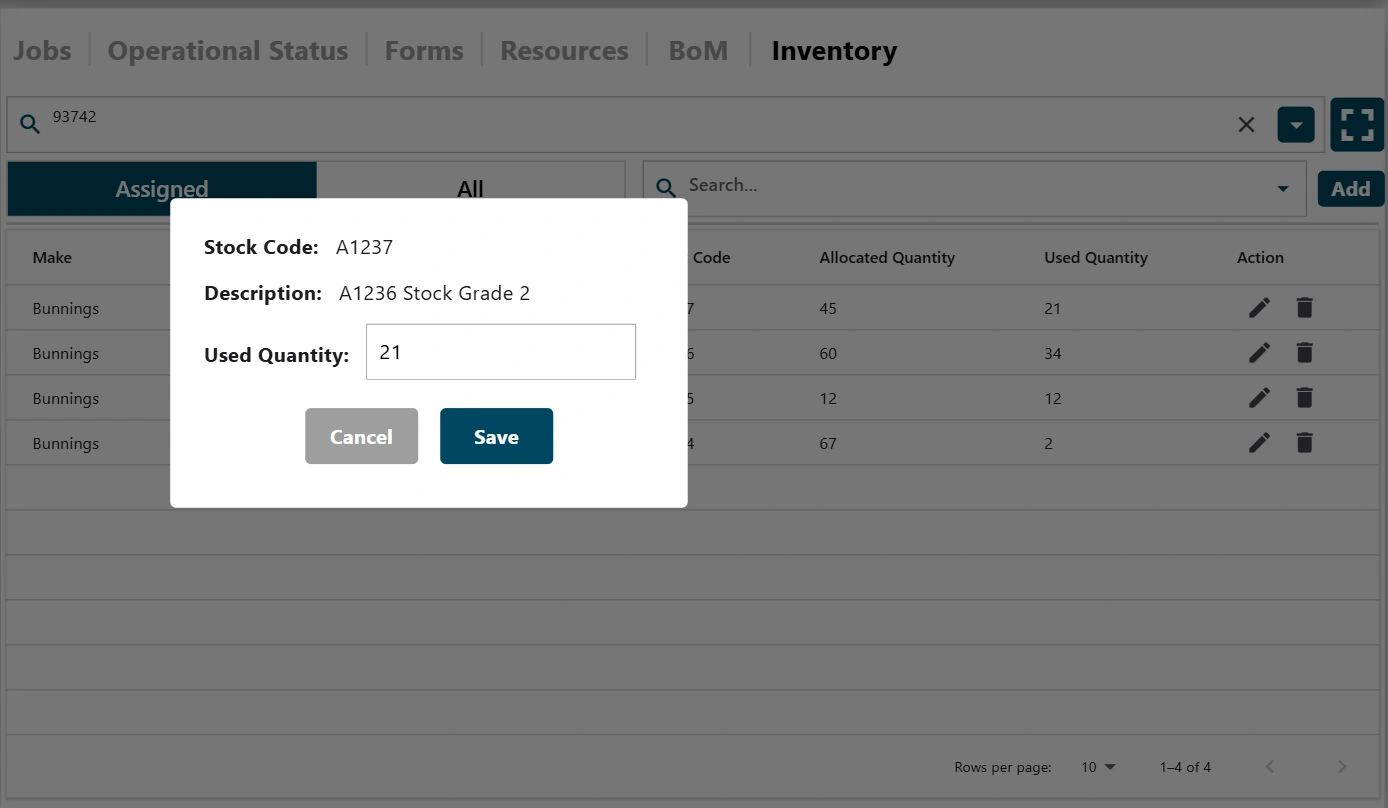
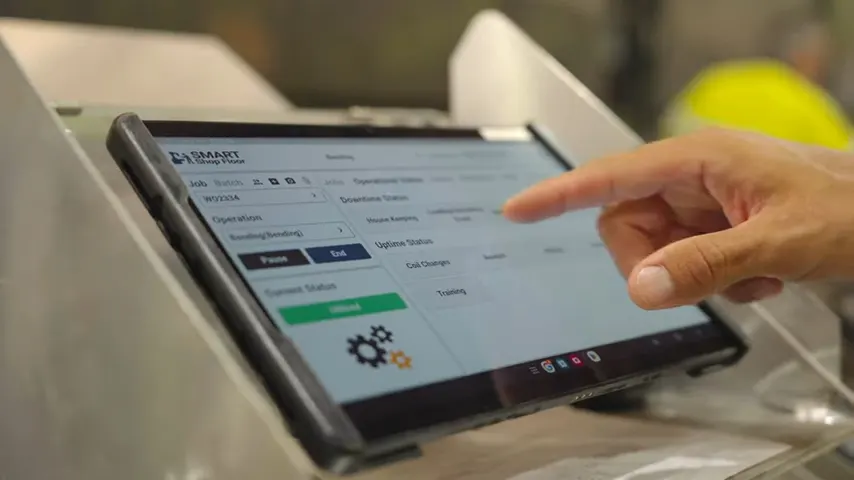
Quote with AI Estimator and the pick list is built from the estimate, so it’s accurate from the start. It flows straight to the operator’s tablet with no retyping, and shows the quantity allocated beside the quantity used.
Material Tracking
Update quantities as you go
Operators update quantities with a single tap as they use materials. What they use goes back to your ERP, so stock stays accurate on a rolling basis and a stocktake becomes a quick check, not a laborious full-day count. Anything that differs from the plan is caught immediately.
Full Visibility
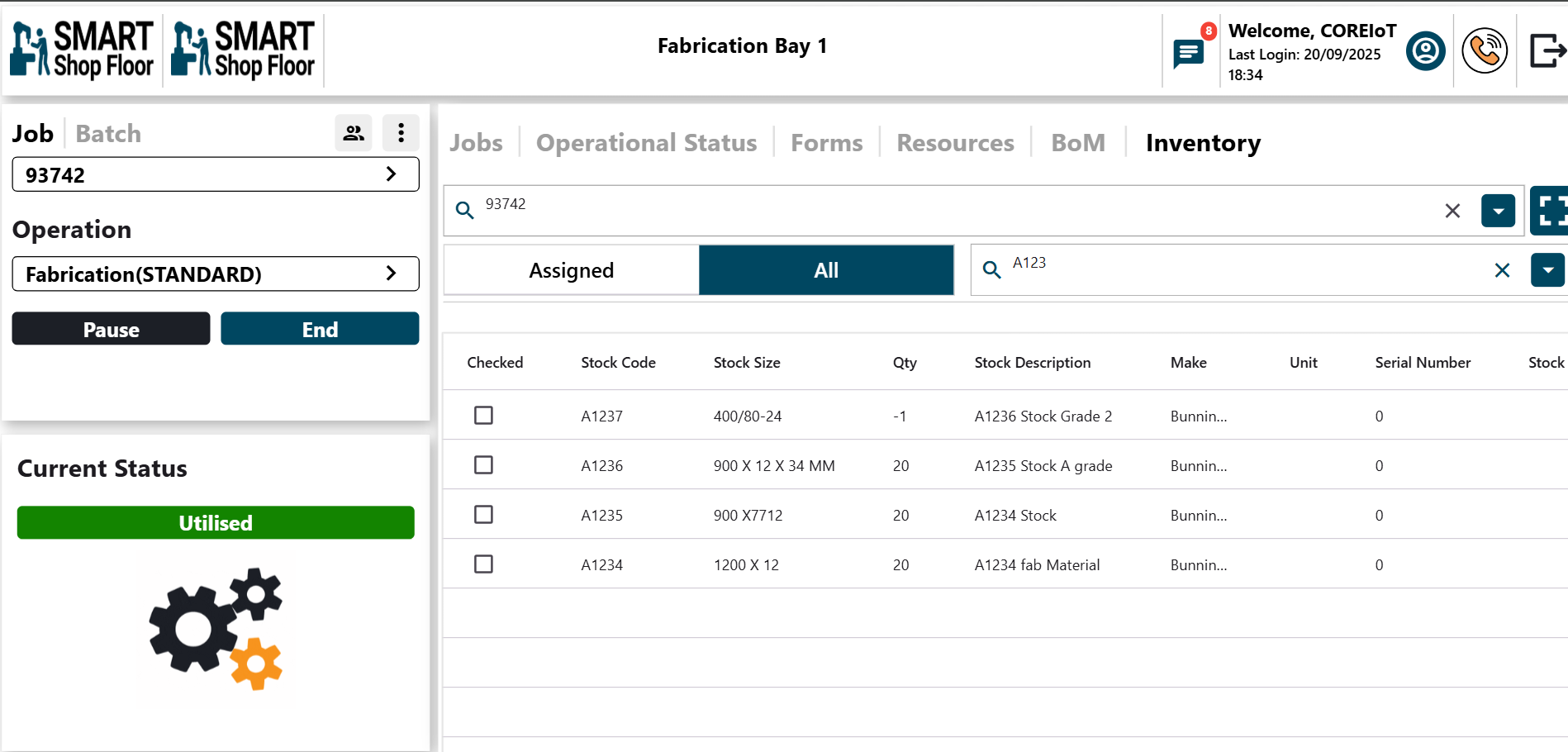
All inventory at a glance
Search inventory and check stock levels from the operator tablet without leaving the shop floor.
The workflow
Order arrives
Work order is created in your ERP. Smart Shop Floor pulls the BOM and pick list into the operator's digital job packet automatically.
Materials consumed
As operators work, they log materials used with a single tap. Actual consumption is compared against planned quantities in real time.
Stock levels update
Inventory records update as material use is recorded, giving your team a current view of recorded stock.
AI monitors & alerts
AI scans inventory against upcoming production demand. When stock drops below your min-max thresholds, alerts trigger before production is impacted.
Replenishment scheduled
Affected jobs and line items appear in a central dashboard. Your purchasing team has clear visibility on what needs reordering and when.
Material requirements planning and BOM management
How do the BOM and material requirements connect?
The bill of materials lists what a job needs. Material requirements planning relates those quantities to stock and planned production. Smart Shop Floor connects job requirements, pick lists and recorded consumption so production and purchasing work from the same job context.
Does this replace our accounting or ERP system?
No. Smart Shop Floor works alongside your accounting or ERP system. It provides pick lists, updates the connected ERP as items are picked, and sends consumed materials back through the agreed integration.
How does an accepted quote become a material plan?
A won quote becomes a production handover with its bill of materials, material and labour requirements. Operators access the job's materials on their tablets and record quantities used during manufacturing.
How does material planning support production scheduling?
The material plan describes the quantities required for the job; the production schedule places the work against capacity and priorities. Linking planned requirements with picked and consumed materials helps your team review the job's needs as work progresses, instead of maintaining disconnected lists.
Explore
Manufacturing execution system components
Finite capacity scheduling
Plan every job around the people, machines and materials you actually have.

Work order tracking
See live job status without walking the floor.
Shop Floor App
Every operator's shift on one screen.

Quality management
Quality checks and safety inspections, signed off and saved to the job.

Downtime and OEE
See why machines stop, identify bottlenecks and monitor capacity.

Customer Portal
Customers check their own order status.
Stop counting bins. Start manufacturing.
See how continuous inventory tracking eliminates stockouts, reduces waste, and keeps your production floor moving.
Book a time