
AI Scheduler
AI Scheduler plans and allocates work
Clear priorities and automatically adjusted work support the verified 17–32% throughput increase. AI Scheduler adapts to priorities, due dates, machinery, materials and operator availability, so teams spend less time chasing updates. Your team reviews and adjusts the plan.
Features
How AI Scheduler plans smarter
Capacity planning
Plan around what you can actually run
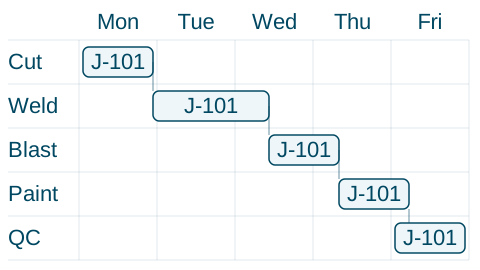
Customer priorities, due dates, materials, people and machines all go into one plan. Jobs are sequenced to fit and given a planned delivery date.
Spot your bottleneck and plan around it
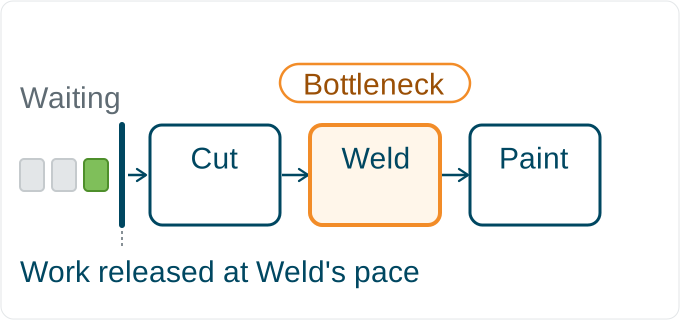
Most shops have one machine or team with limited capacity. The schedule is built around that limit and releases work at a pace it can handle. Jobs don’t stack up half-finished and grind to a halt.
Work maintenance into the plan
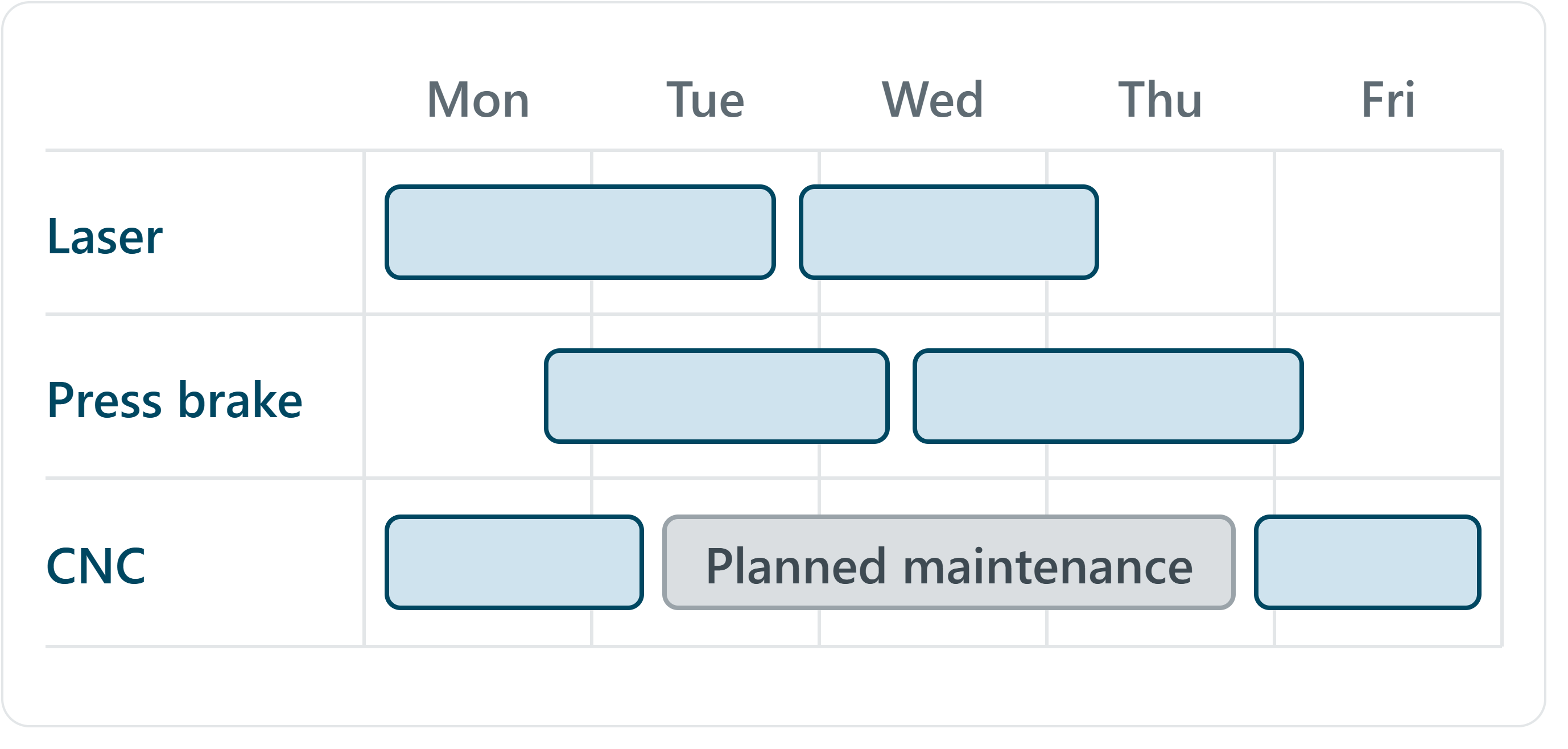
Block out servicing and planned downtime in the schedule. Jobs are worked around the gap, so a service doesn’t delay production and conflict with a date you’ve already promised.
People planning
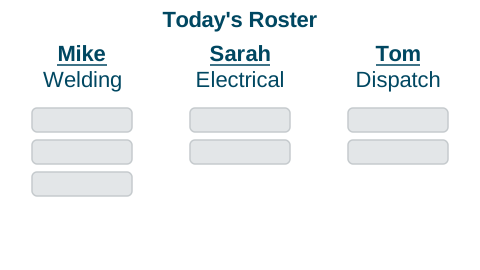
Assign the right person to every job
Allocate work by operator skills and availability. Balance the workload across your team and identify capacity for additional jobs.

Keep everyone focused on the same plan
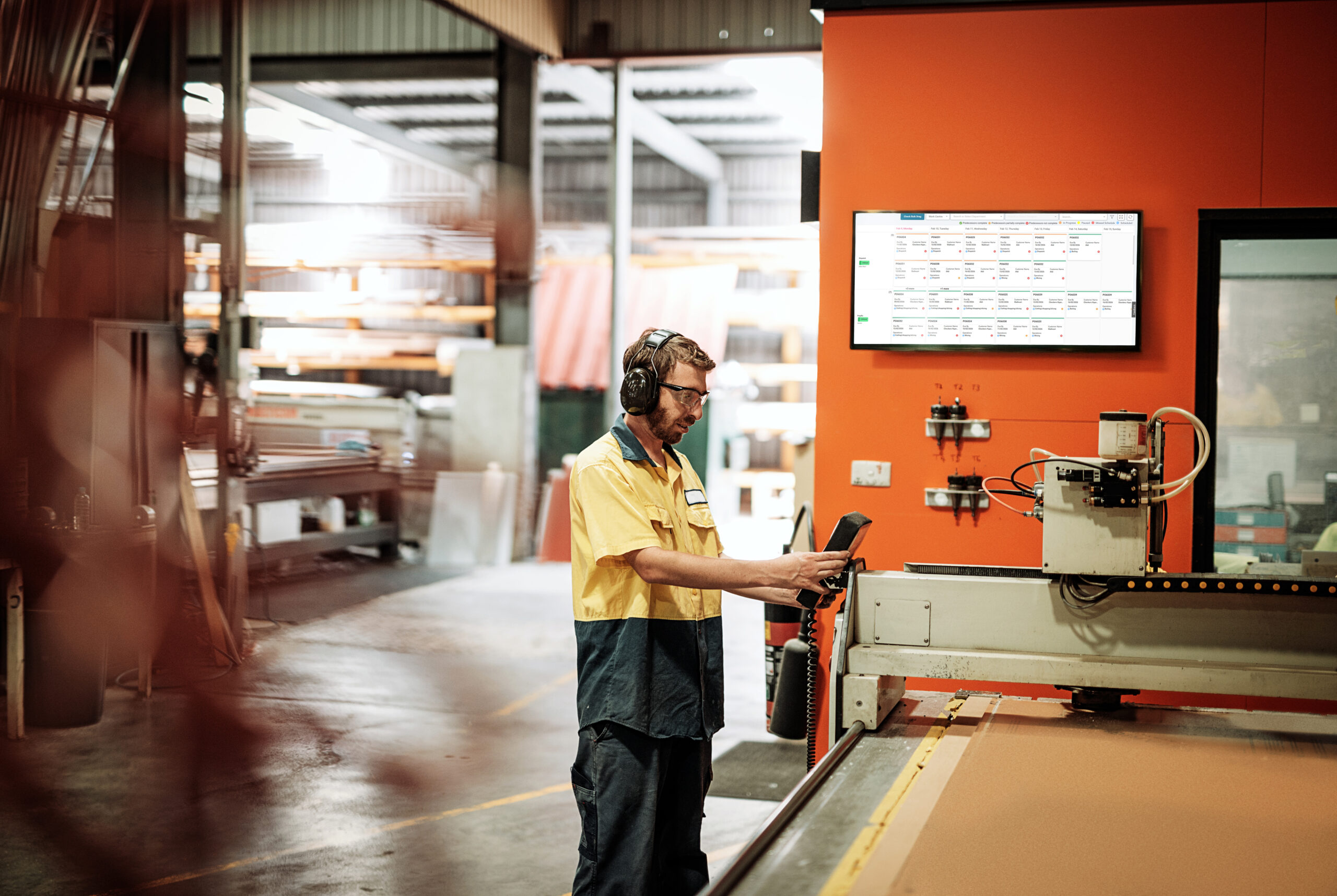
The digital production board replaces your whiteboard with a live, colour-coded view of what's in progress, what's urgent, and what's coming. Filter by work centre or see the whole workshop at once.
Problem solving
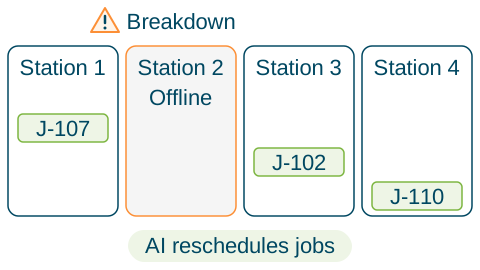
Adapt when things go sideways
Machine breakdowns, staff absences and rush jobs change the plan. AI Scheduler recalculates work allocation and shows the effect on other jobs.
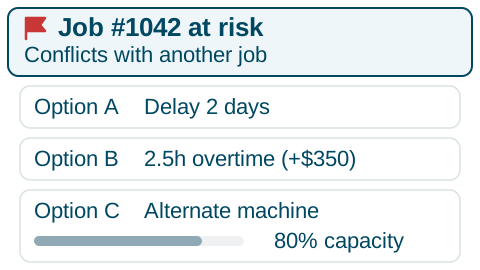
Flag problems before they cost you
Review late jobs, material shortages, conflicting bookings and overtime risks. Compare available actions and their costs before deciding how to respond.
Want to see every job as it happens?
Our manufacturing execution system builds on AI Scheduler with live tracking, alerts when a job stalls and tools that save operators time.
ERP Integration
Connect to your ERP
Orders come in from your ERP and go straight into the production plan. When a job is finished, the completion date goes back, so your records stay current.
Explore integrations
Workflow
AI and human co-ordination
Update new orders, who's on the floor, and any equipment out of action.
Boot up your AI Scheduler and hit go. It works through the ranking variables and returns a complete, optimised production schedule.
Drag and drop anything that needs a tweak. Approve overtime if needed. The AI recalculates around your changes and shows the downstream impact before you commit.
Operators receive their work assignments for the shift, ordered and timed. Works with a smartboard or digital display.
As jobs are completed, the floor supervisor logs progress, which feeds back into the next schedule run.
Benefits
Why AI scheduling wins
Run a tighter operation
- Keep work moving between production stages and reduce avoidable delays
- Recalculate the schedule when disruptions occur
- Give operators clear priorities for their next job
Stay in control
- Base planned delivery dates on available capacity
- Identify queues and constraints that extend lead times
- Review schedule risks before committing to delivery dates
Get smarter over time
- Compare response options and costs when an alert needs attention
- Use actual job times to review and refine future estimates
Success Stories
See it working in real shops
Real shops, real results. Hear directly from manufacturers using Smart Shop Floor to schedule smarter.
Ready to automate your scheduling?
Contact us and see the difference automated scheduling makes.
Book a time