
Finite Capacity Scheduling
Plan finite work-centre capacity, allocate jobs and respond to changing priorities across high-mix, low-volume production.
Clear priorities and automatically adjusted work support the verified 17–32% throughput increase. The schedule responds to daily changes in due dates, machinery, materials and operator availability, reducing waiting, confusion and time spent chasing updates.
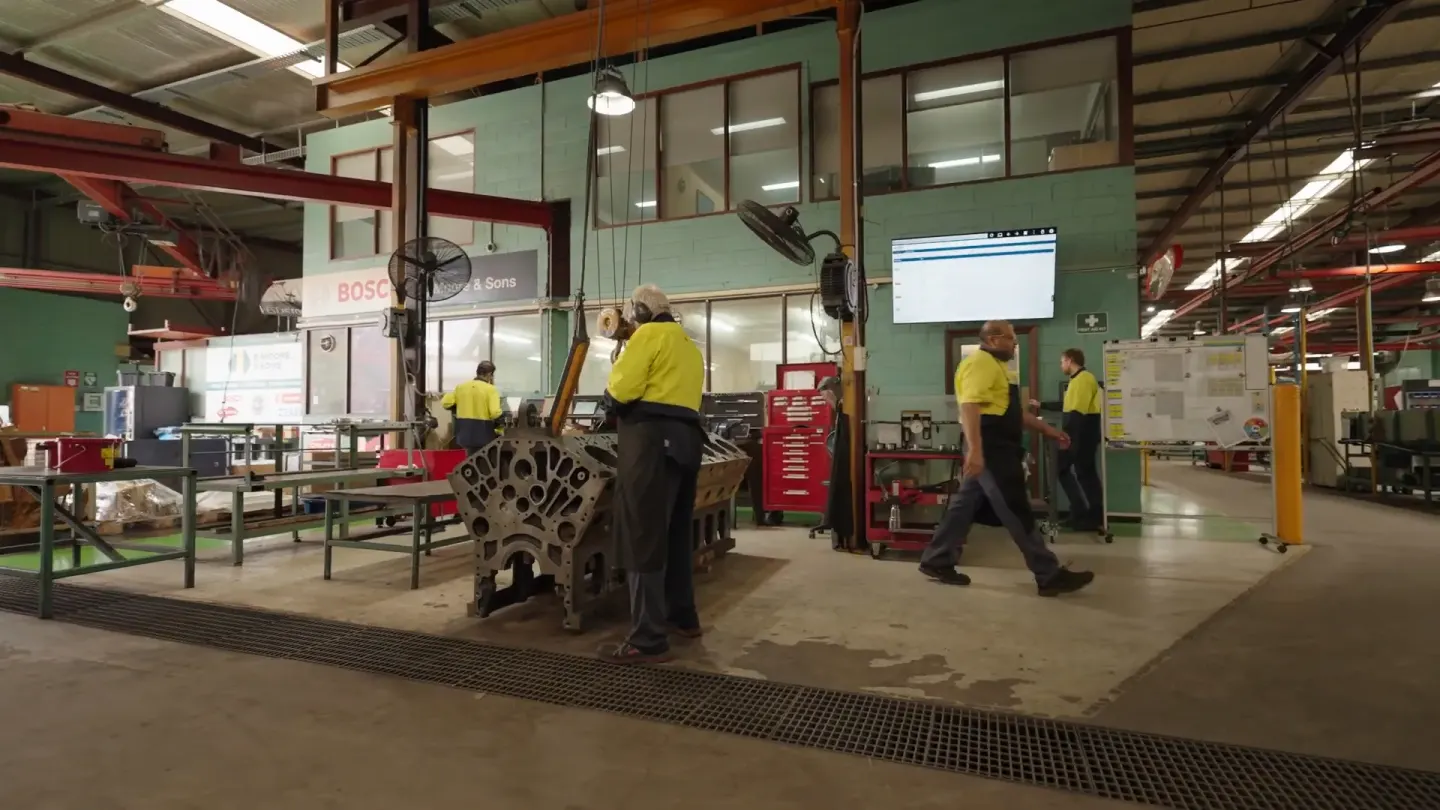
Stop Playing Catch-Up
Get a shop floor solution that puts you one step ahead.
Increased Throughput
Make the most effective use of your talent, and free your operators up to focus on high-value work. Improved organization and productivity-boosting tools saves 45-60 minutes per operator in non-productive time and cuts overtime.

Hit Your Delivery Dates, Every Time
Hitting and maintaining a high on-time delivery rate is a direct measurement of customer satisfaction. Know exactly when jobs will finish - no more guessing or disappointed customers.

A Custom-Built Solution
Smart Shop Floor was built specifically for job shop complexity, developed through years of working with leading manufacturers who deal with custom jobs, changing priorities, and one-off requirements daily.

Reduce Shop Floor Stress
The system reacts to disruptions and updates operators' tasks in response, resulting in fewer fires for you to put out. Operators get clear-cut visibility and direction.
How Automated Scheduling Works Across Your Organization
Connect with your data sources and map out your processes
- Whether you're using manual planning, Excel, or enterprise software, we'll configure Smart Shop Floor to fit your current setup
- Seamlessly connect with your quoting, job management, inventory, and engineering systems
- Define value streams, process flows and routings in SmartShopFloor to guide work assignment. Your ERP does not need routing or MRP capabilities already in place
Create an optimized schedule
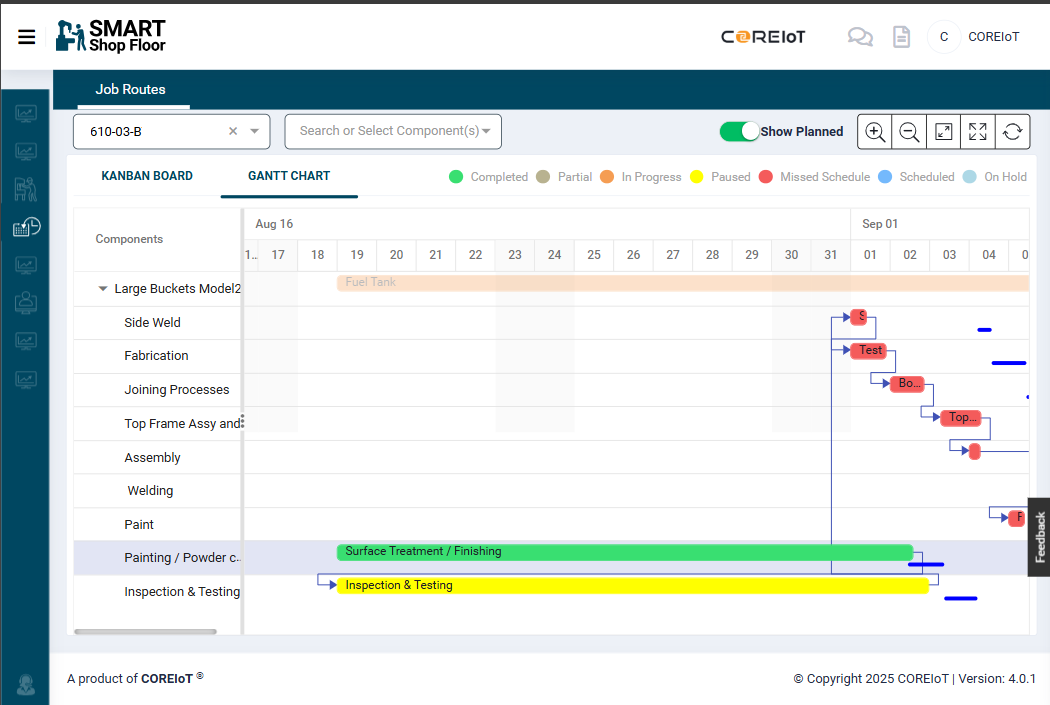
- Build a feasible shift plan around customer priorities, due dates, materials and available people and equipment
- Automatically routes complex jobs with hundreds of steps, multiple locations, or extended timelines from quote to delivery
- Evaluate priority and due date together with material availability and capacity, rather than treating an ordered job list as an executable schedule
- Confirms operator availability, machine capacity, and materials before releasing jobs to the floor
- Override the system anytime with simple drag-and-drop manual adjustments to quickly eliminate conflicts
- Identifies your bottlenecks and sets the pace around them, ensuring maximum throughput
Assign work
- Work is assigned based on staff and equipment available at that moment
- Skill-based allocation matches people based on their capabilities and speed
- Balances workload across your team, rotating through all available operators
- Operators record progress and time through the Operator App, keeping planners informed about the work actually happening on the floor
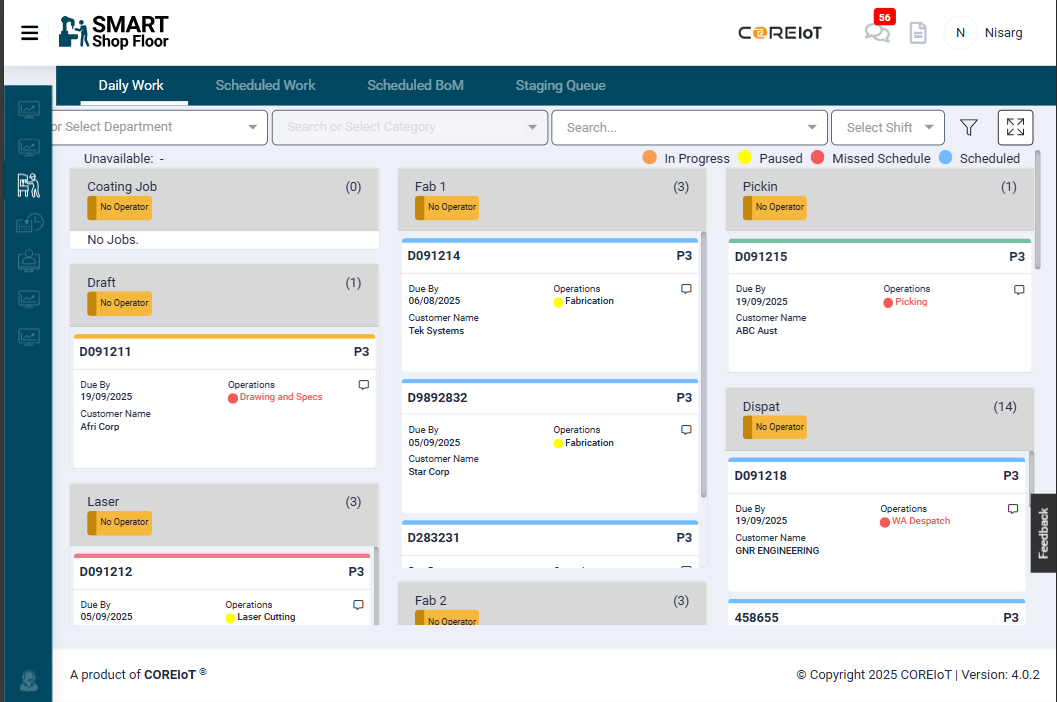
Get everyone on the same page
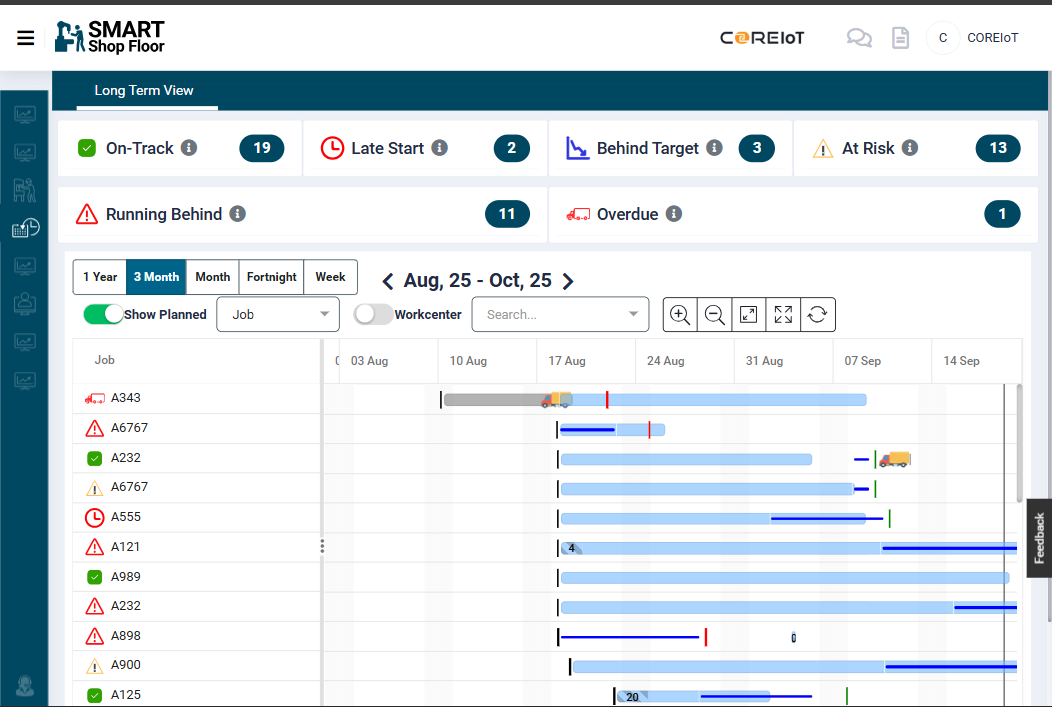
- Digital production board replaces your whiteboards with live updates - filter by work centre or see the whole workshop at once
- Colour-coded job tiles make it easy to spot urgent work and see what's in progress
- Real-time updates flow straight to the office - no more walking the floor for status updates or playing phone tag with customers
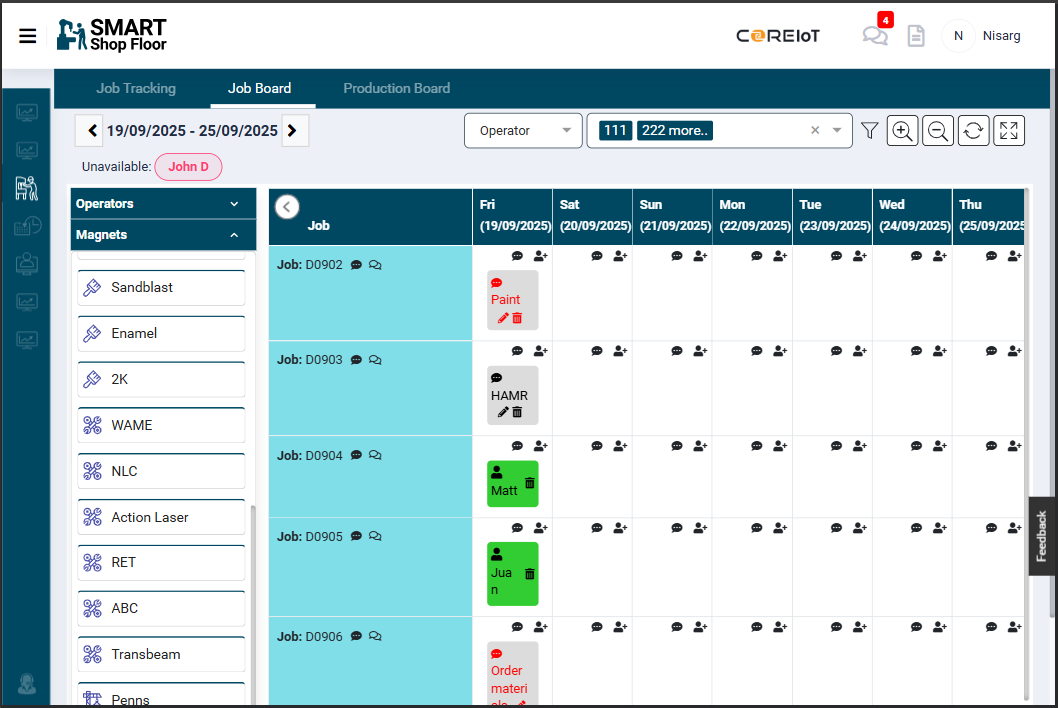
Adapt your schedule in real time
- Schedule automatically adjusts to changes and disruptions, keeping work on track - like machine breakdowns, operators calling in sick, or rush jobs come through the door
- Continuously pulling in new orders from ERP.
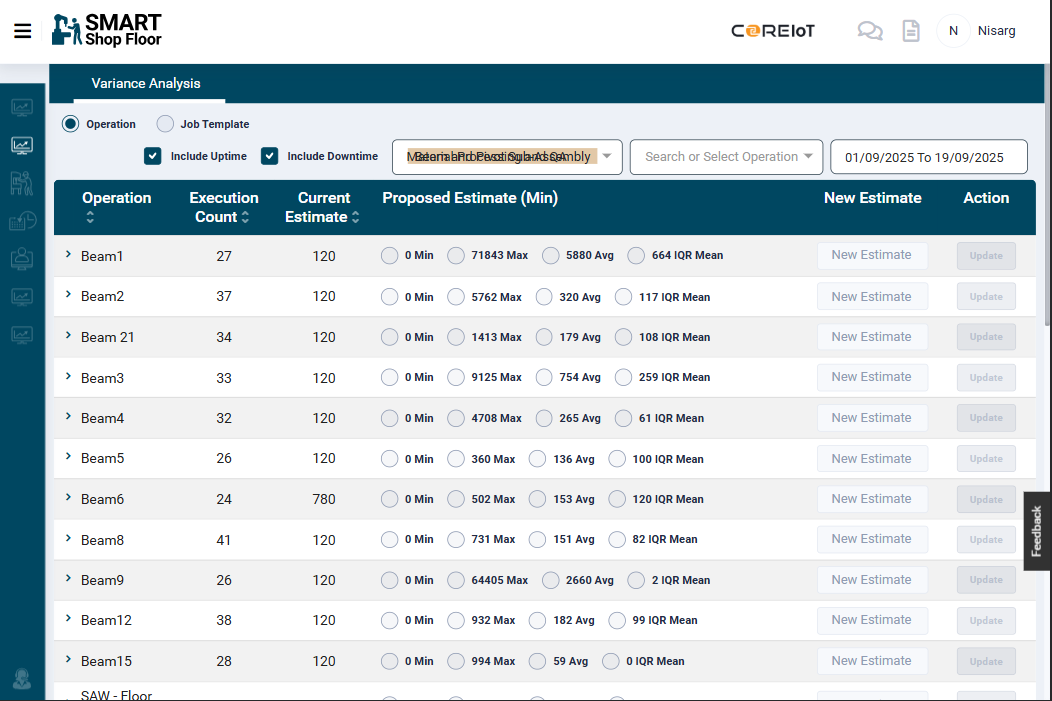
Get Better and Faster
- Self-learning algorithm gets smarter with every job, comparing job time estimates to actual performance to improve delivery date accuracy and quote reliability
- Know who's struggling and who's flying by comparing task completion times to your team average
- Delayed jobs flash red so supervisors know immediately when tasks need attention
Visualize
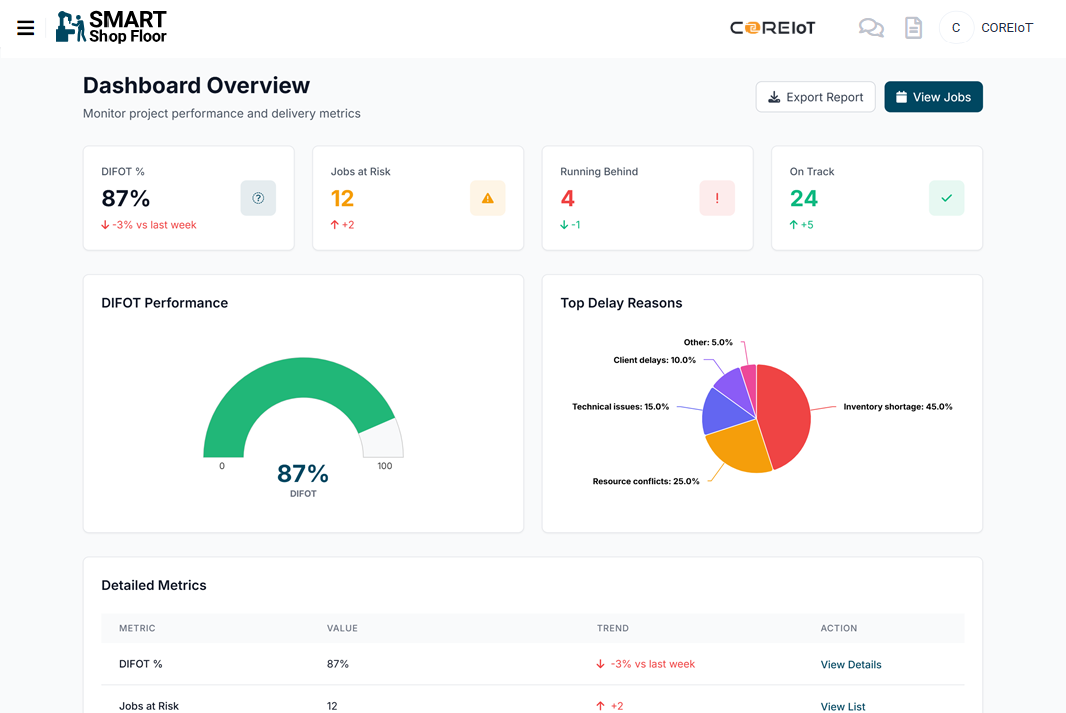
- Monitor critical KPIs to prevent late deliveries and bottlenecks
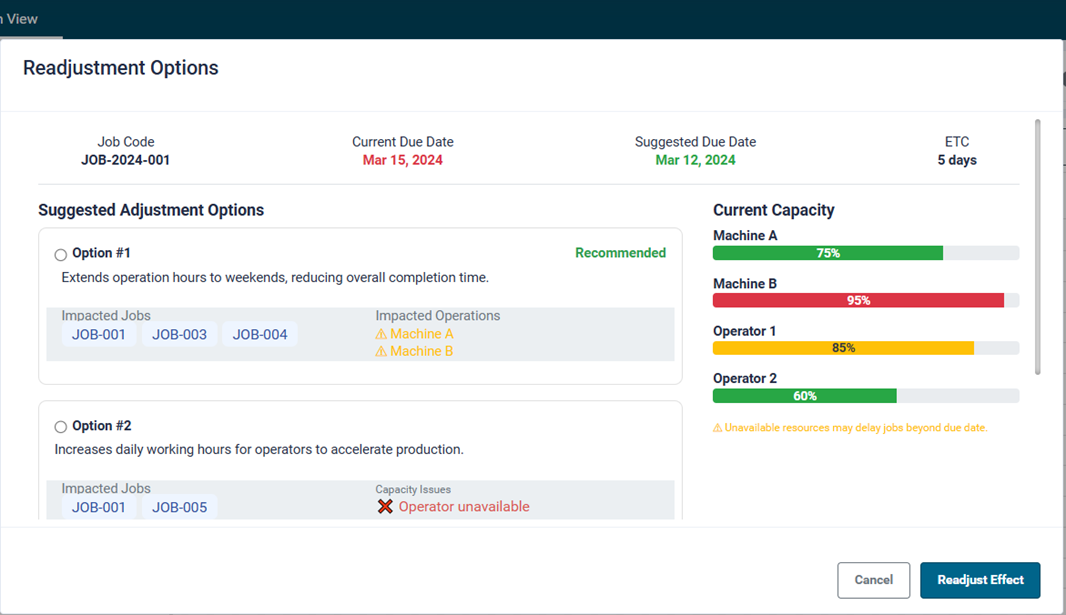
- Test your plans first to see how inventory, maintenance, or time off will affect delivery dates
- Look ahead to avoid surprises like double-booked machines or quiet periods
- Get warned immediately if any job is at risk of missing its delivery date
 Case Study
Scheduling a Growing Workforce
When Schlam scaled 40%, their digital tools couldn't keep pace. Smart Shop Floor's automated scheduling gave them real-time visibility - improving lead times and enabling the team to catch problems early.
Read Schlam's transformation storyExplore
Manufacturing execution system components

Work Order Tracking
See live job status without walking the floor.
Operator App
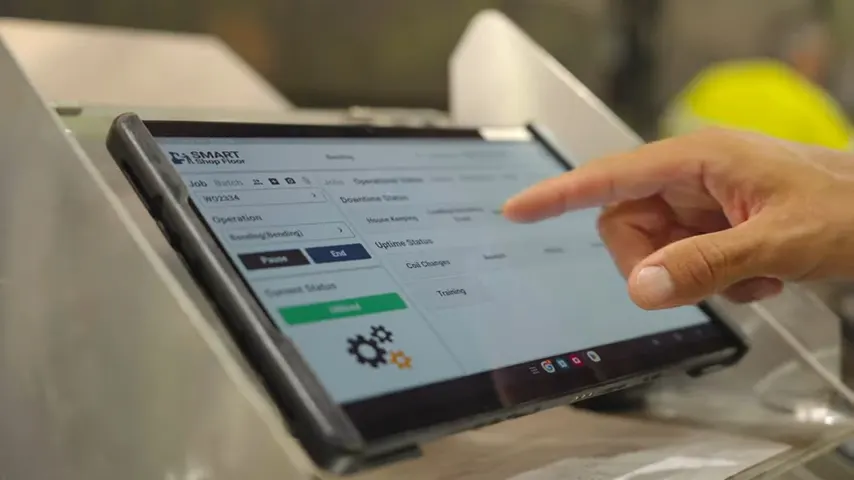
Job packs, pick lists, digital forms and chat on a tablet.

Quality Management
Quality checks and safety inspections, signed off and saved to the job.

Inventory Management
Know what material you have and what each job used.

Downtime and OEE
See why machines stop, identify bottlenecks and monitor capacity.

Customer Portal
Customers check their own order status.
Production scheduling for high-mix, low-volume work
How does fabrication shop scheduling connect materials and capacity?
Material planning identifies what each job needs. Scheduling determines when and where it runs against available work-centre capacity. SmartShopFloor connects the bill of materials and routing with the schedule, then publishes allocated work to the floor. This supports steel fabrication and machining teams handling different jobs rather than one repeated product.
How does finite-capacity scheduling help a job shop?
A finite-capacity schedule considers work-centre capacity and each job's routing rather than treating capacity as unlimited. SmartShopFloor brings confirmed jobs, their requirements and shop floor progress together to plan and allocate work.
Can we schedule production if our ERP has no routing or MRP?
Yes. SmartShopFloor defines value streams, process flows and job routings, then schedules and allocates the work. Your ERP does not need its own routing or MRP capabilities. Actual labour hours and consumed materials flow back to the connected ERP to capture production costs and maintain inventory levels.
What does SmartShopFloor consider when scheduling production?
SmartShopFloor considers delivery dates, job priorities, operator availability and skills, materials, machine availability, working hours, approved overtime, job routing and plant capacity. Your team can review and adjust the proposed schedule before work is allocated, keeping production decisions grounded in the resources available.
Read the full production scheduling guideWhat is the difference between production scheduling and MES?
Production scheduling plans when work should happen and which resources it needs. A manufacturing execution system tracks what actually happens on the shop floor. Connecting them allows operator progress, downtime and completed work to feed back into the production plan, keeping planned and actual work connected.
Read about scheduling and manufacturing executionWhat happens when priorities change?
SAM Scheduler re-plans around disruptions using live feedback from the floor. Your team stays in control of the next action, while operators receive the allocated work through the shop floor modules.
How does the scheduling board connect to job tracking?
The schedule shows planned work; operator updates show what is actually happening. Progress recorded on the floor feeds back into planning so your team can review allocated work and changing priorities in the same job context.
How should a job shop use production scheduling buffers?
Use buffers to allow for variability around constrained operations and delivery commitments, rather than adding the same allowance to every job. Review actual delays and shop floor progress to distinguish necessary protection from recurring material, information or process problems. The linked guide explains three buffer types; it does not imply that every buffer is configured automatically.
Read the guide to three types of scheduling buffersThe shop floor scheduling solution that gets the job done.
We bring together everything you need to schedule and manage your shop floor. Save time, reduce downtime, and boost productivity.
Book a demo